 TTime
TTimeZhipu AI Translation
Zhipu AI can be used as an AI translation service in TTime, and this guide explains how to obtain an API key and complete the setup
Official website application address
Credit information The official website may change over time. This is for reference only. Please refer to the official document for details
| Type | Price |
|---|---|
| GLM-4-Plus | 0.05 RMB / thousand tokens |
| GLM-4-0520 | 0.1 RMB / thousand tokens |
| GLM-4-AirX | 0.01 RMB / thousand tokens |
| GLM-4-Air | 0.001 RMB / thousand tokens |
| GLM-4-Long | 0.001 RMB / thousand tokens |
| GLM-4-FlashX | 0.0001 RMB / thousand tokens |
| GLM-4-Flash | Unlimited free |
1. Register / Login
Enter the registration / login page
2. Apply for a key
After entering the page, click Add a new API Key

Key creation successful
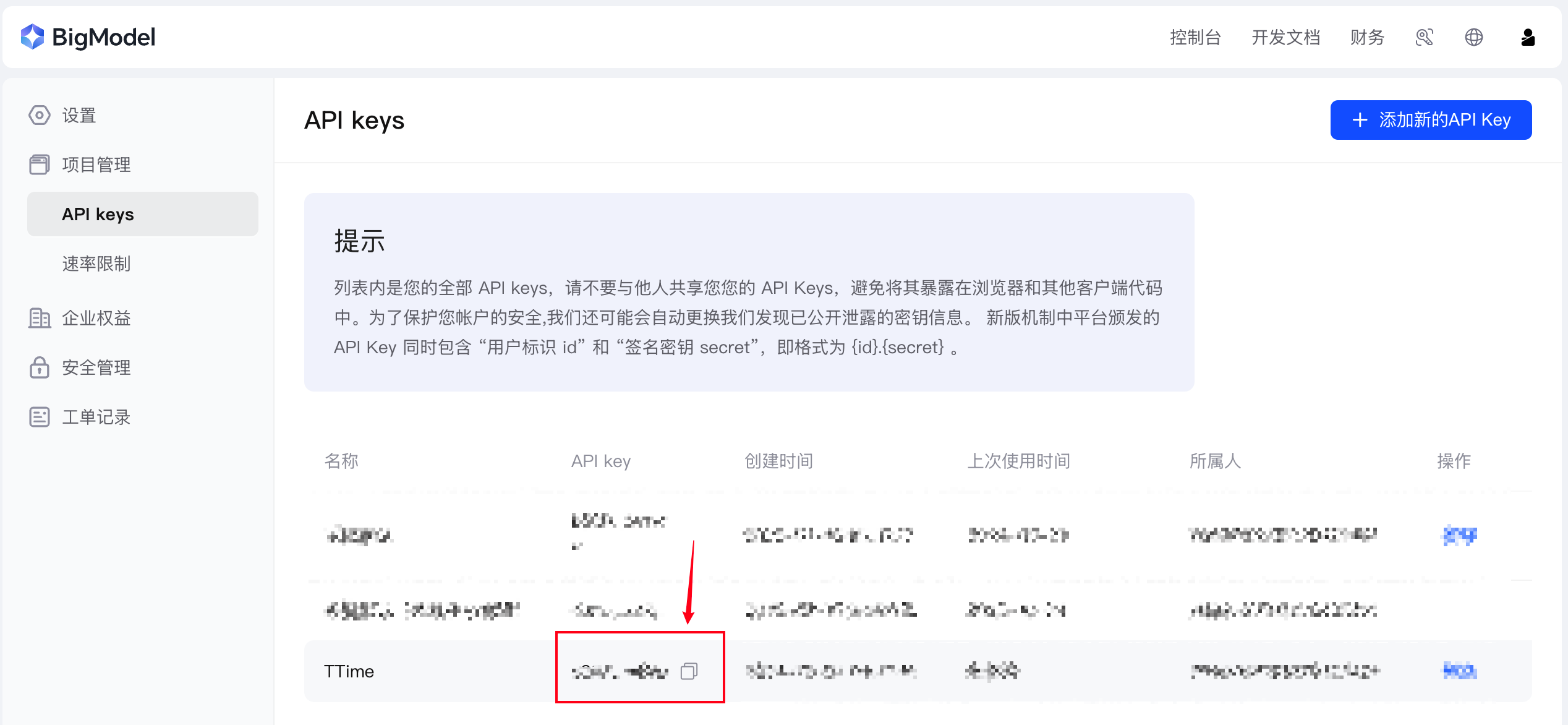
After obtaining the API key, open TTime Settings, go to Translation Services, select Zhipu AI Translation, and enter the key
For setup instructions, see Configure Translation Services in TTime