 TTime
TTimeOpenAI Translation (ChatGPT)
OpenAI can be used as an AI translation service in TTime, and this guide explains how to obtain an API key and complete the setup
official website application address
Quota information As time goes by, the official website may change, this is for reference only, please refer to the official documents for details
OpenAI Translate - Official Documentation - Billing Overview
| Type | Free Quota |
|---|---|
| OpenAI | Free trial credit of US$5 when opening for the first time, valid for three months |
Please refer to the official website for specific fee calculation rules.
Prerequisites for use
Before applying for and using OpenAI translation, you need to meet the following conditions
- Ability to access the international Internet
2.OpenAI account
Tip: If your proxy is unstable, a very simple tutorial can be deployed in the Tencent Cloud function through the openai-api-proxy project Click to view the tutorial
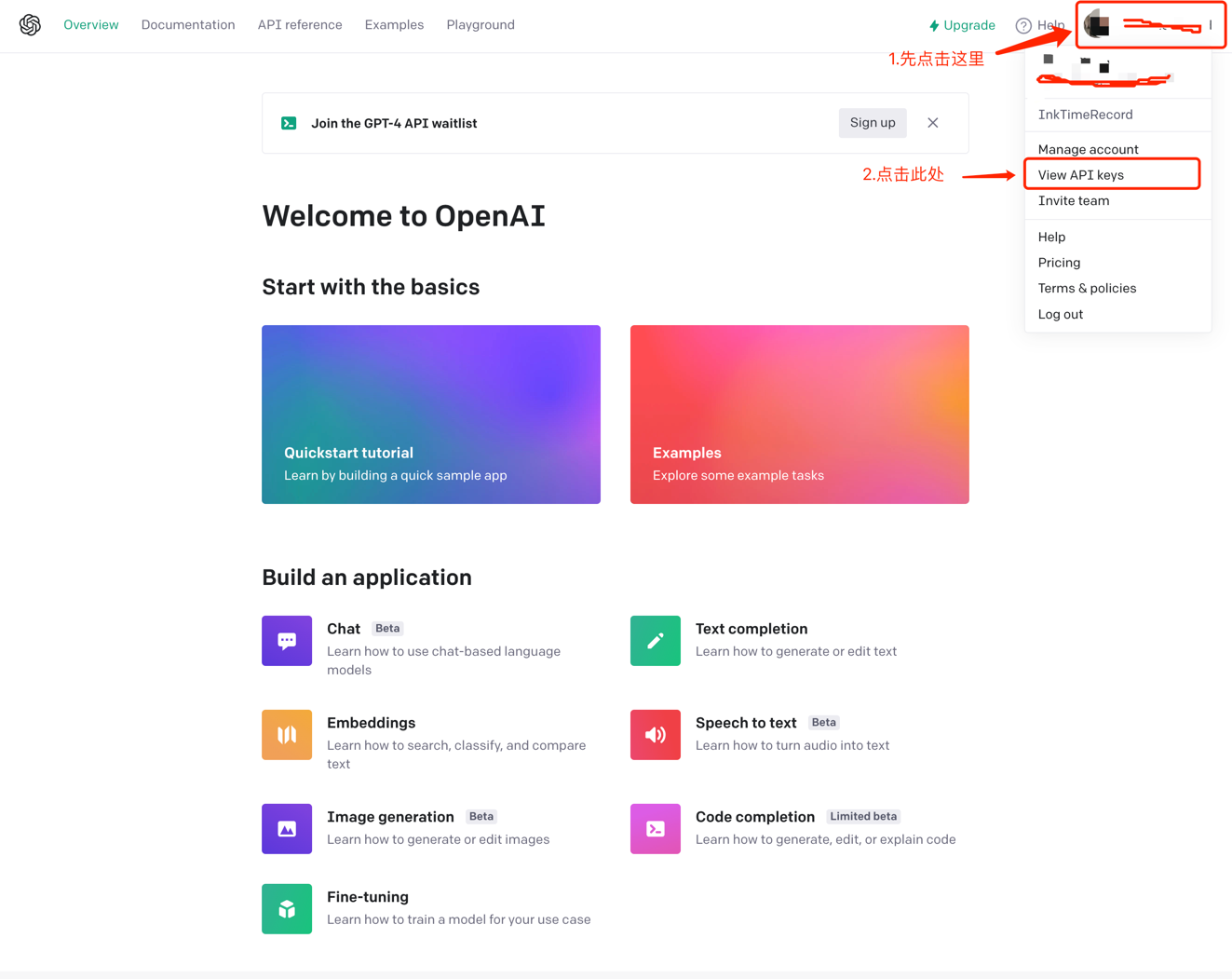
1. Log in to your OpenAI account
After clicking the link to log in successfully, you will automatically jump to the following page.
Click on Account in the upper right corner and click on View API keys
It will jump to the following page, click Create new secret key
Then the API key will be generated
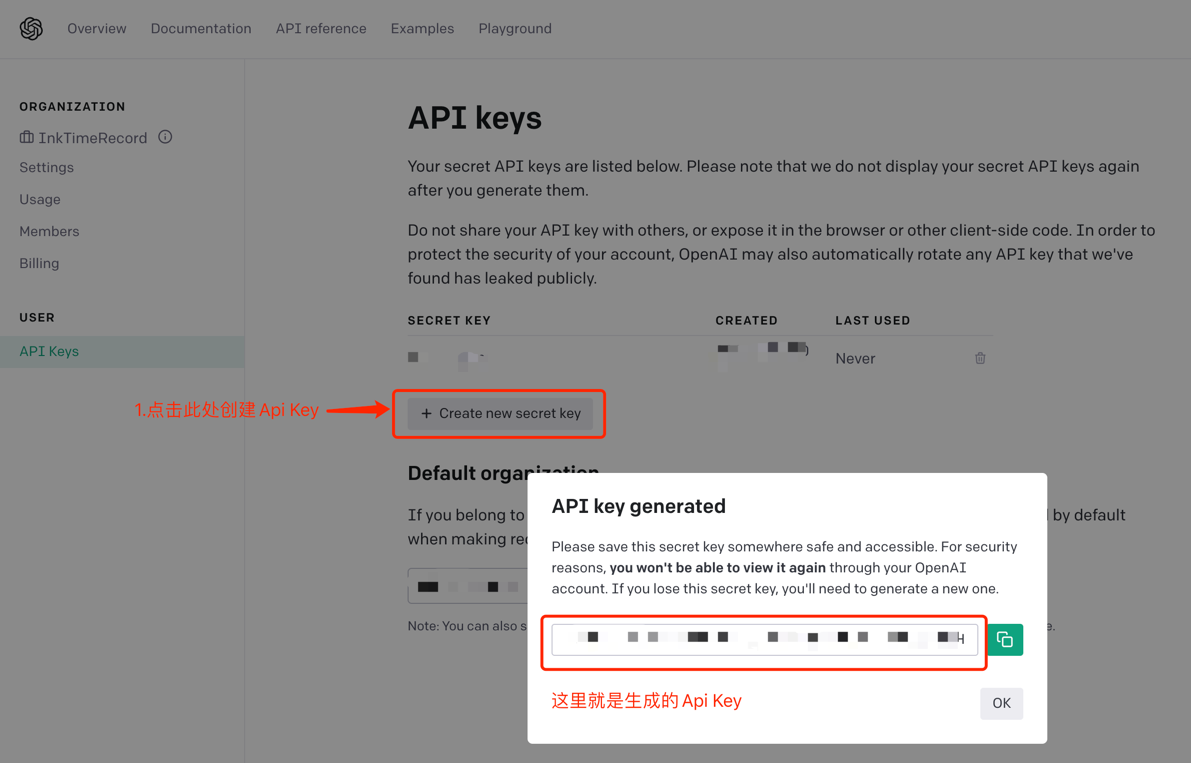
After obtaining the API key, open TTime Settings, go to Translation Services, select OpenAI Translation, and enter the key
For setup instructions, see Configure Translation Services in TTime