 TTime
TTimeNiuTrans
NiuTrans provides text translation in TTime, and this guide explains how to obtain an API key and complete the setup
official website address
Quota information As time goes by, the official website may change, this is for reference only, please refer to the official documents for details
NiuTrans - Official Documentation - Billing Overview
| Type | Free quota | Price beyond free quota | Number of simultaneous translations per second |
|---|---|---|---|
| NiuTrans | 100 points per day | 500 RMB/5000 points | 50 times/second |
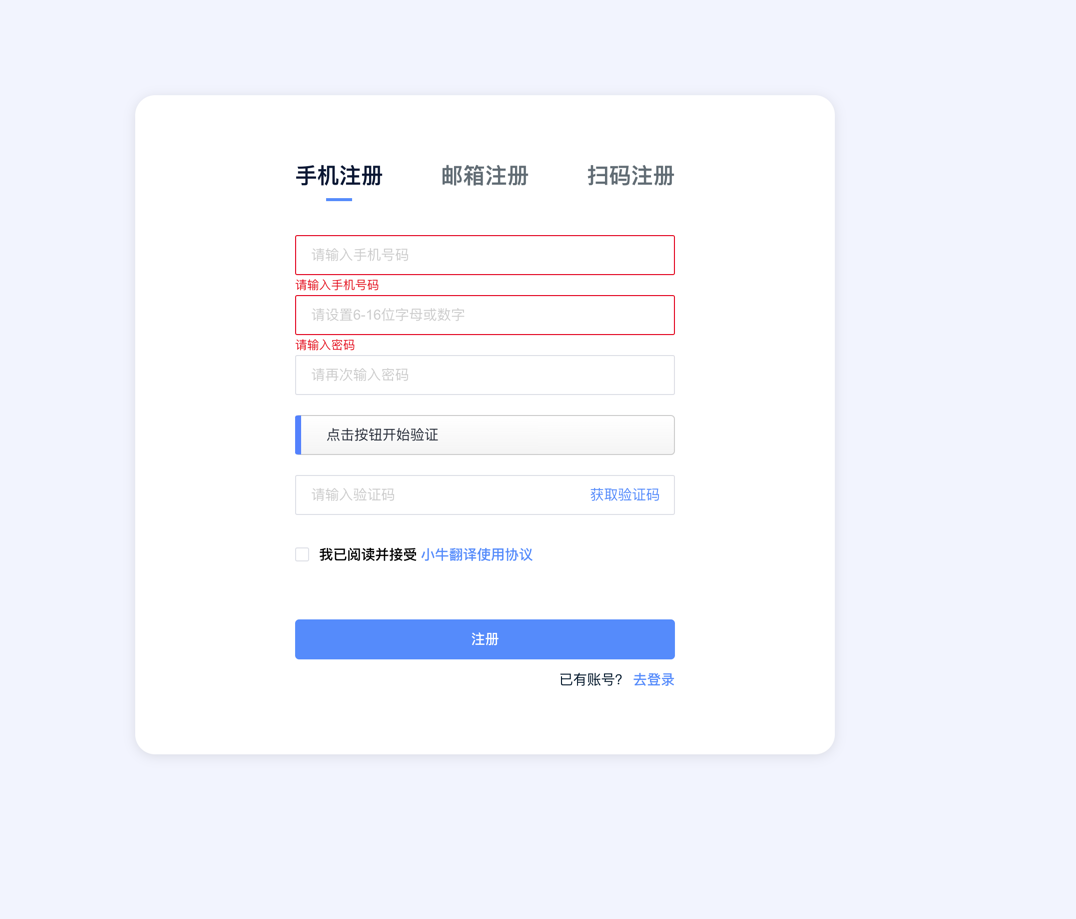
1. Register or log in
If you already have an account, choose to log in, if not, register.
Select Mobile Registration when registering
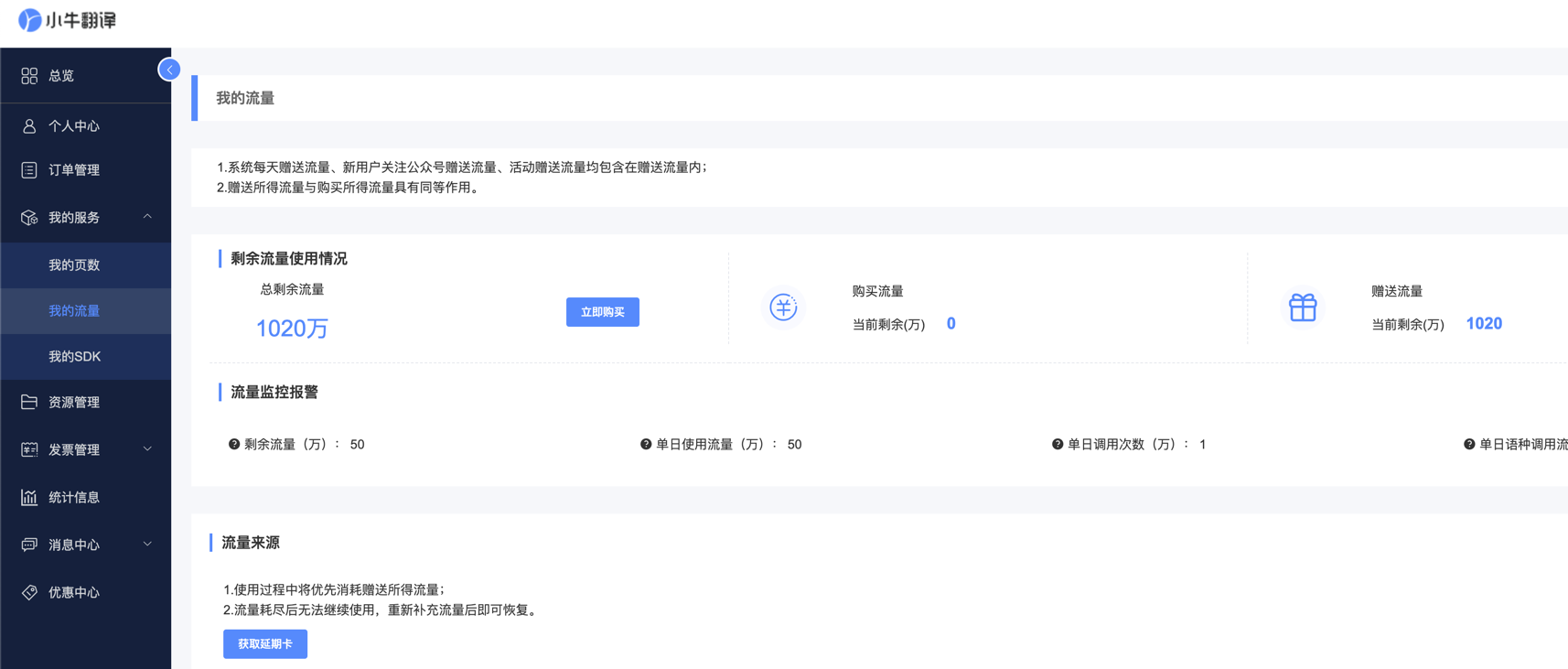
After successful registration, you can see that the credit limit is 10.2 million characters.
2. Get the secret key
Click to jump to get the secret key page
Copy API-KEY here
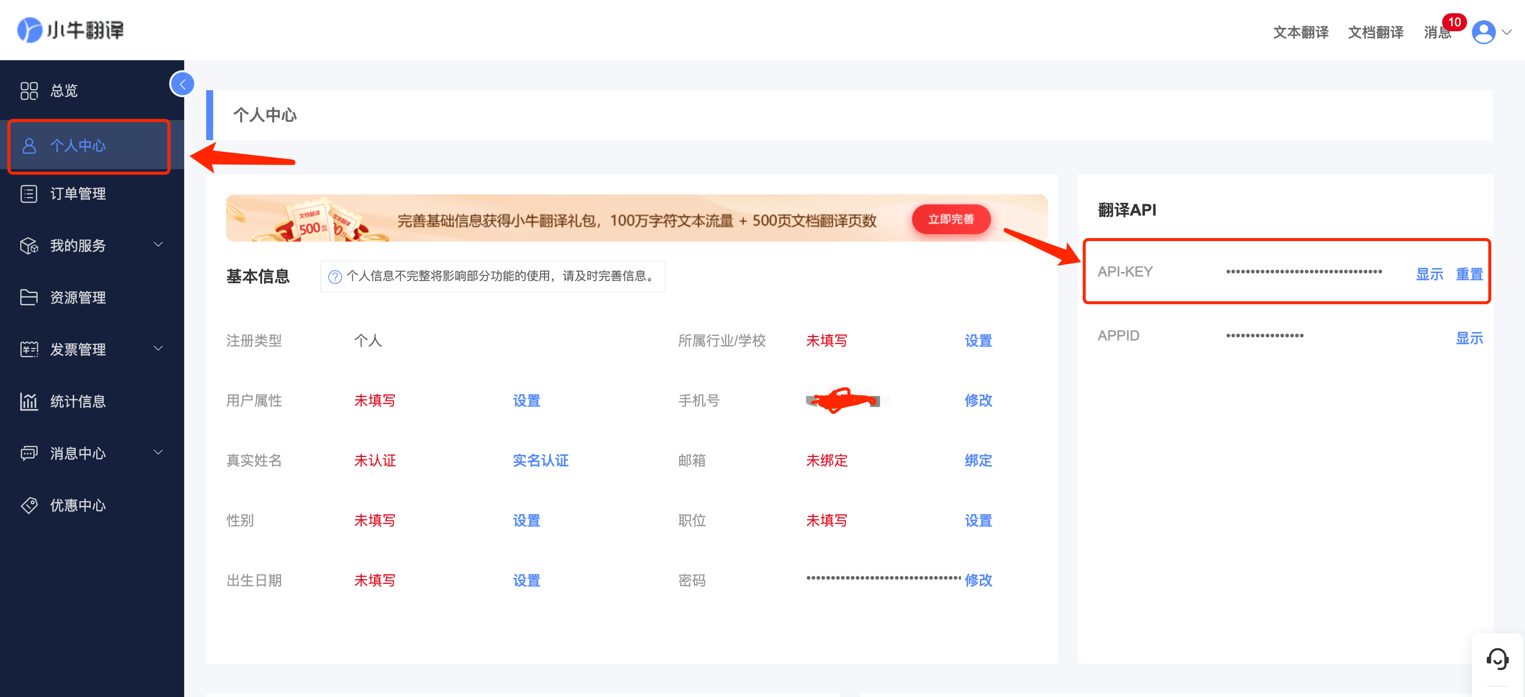
After obtaining the API key, open TTime Settings, go to Translation Services, select NiuTrans, and enter the key
For setup instructions, see Configure Translation Services in TTime