 TTime
TTimeTencent Translate
Tencent Translate provides text translation in TTime, and this guide explains how to activate the service, obtain credentials, and complete the setup
official website application address
Quota information As time goes by, the official website may change, this is for reference only, please refer to the official documents for details
Tencent Translate - Official Document - Billing Overview
| Type | Free quota | Price beyond free quota | Number of simultaneous translations per second |
|---|---|---|---|
| Tencent Translate | Free 5 million characters per month | 58 RMB/1 million characters | 5 times/second |
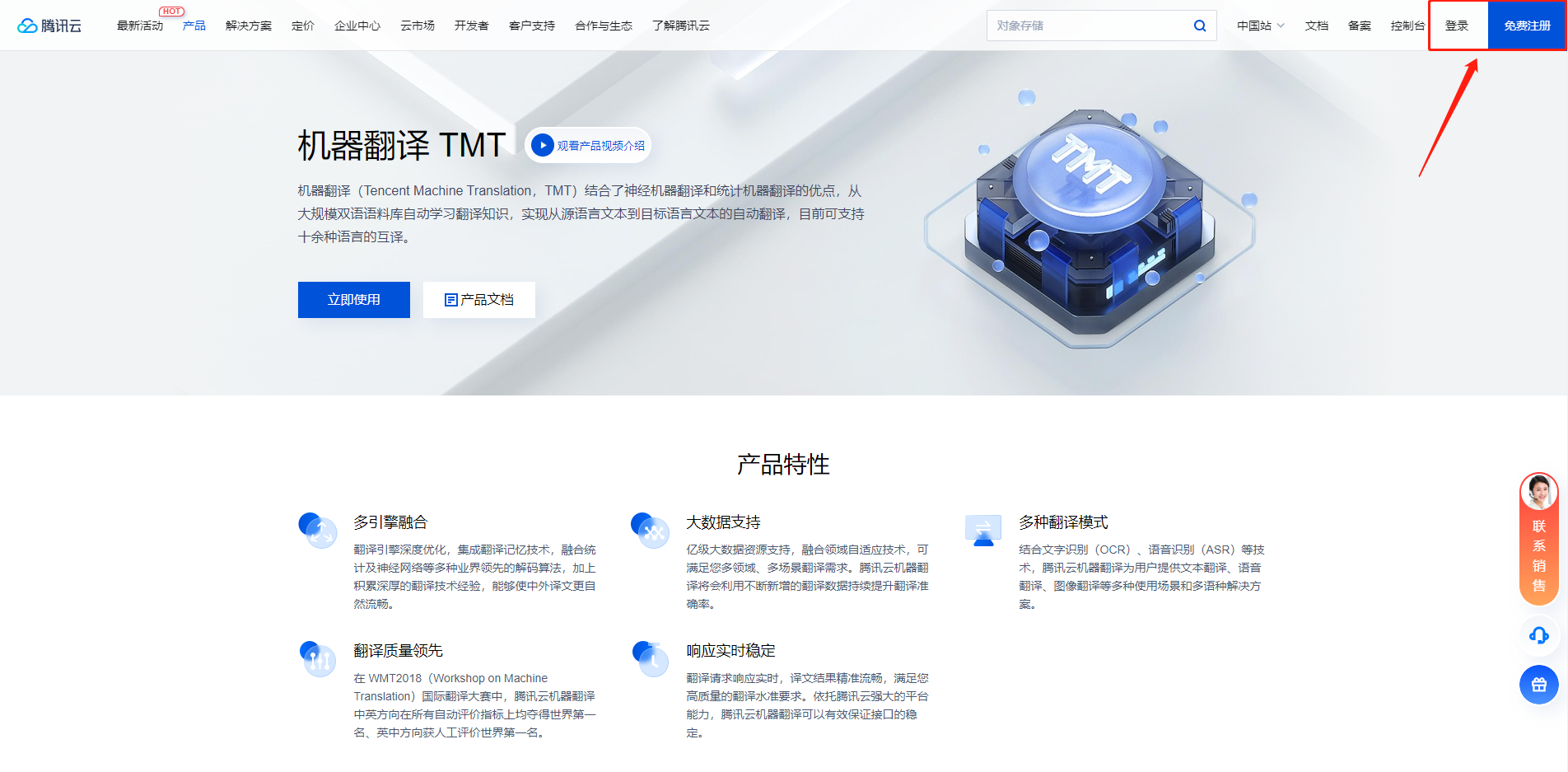
1. Register or log in
First click on the official website application address above to enter
If you already have an account, choose to log in, if not, register.
2.Personal certification
Tencent Translate needs to complete personal authentication before it can operate
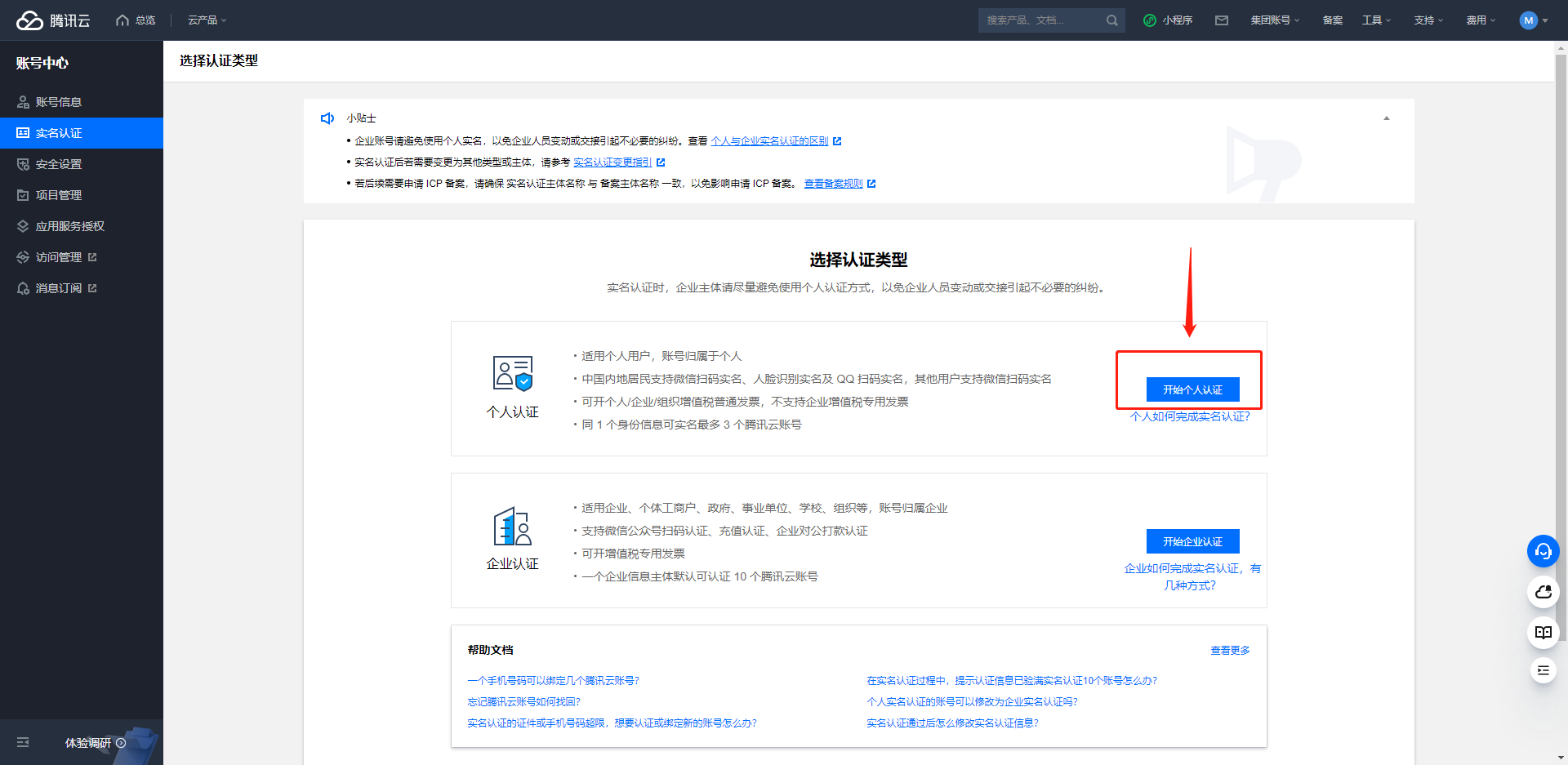
1. Enter the real name page
After logging in, click here to enter the real-name authentication page Jump to the real-name authentication page
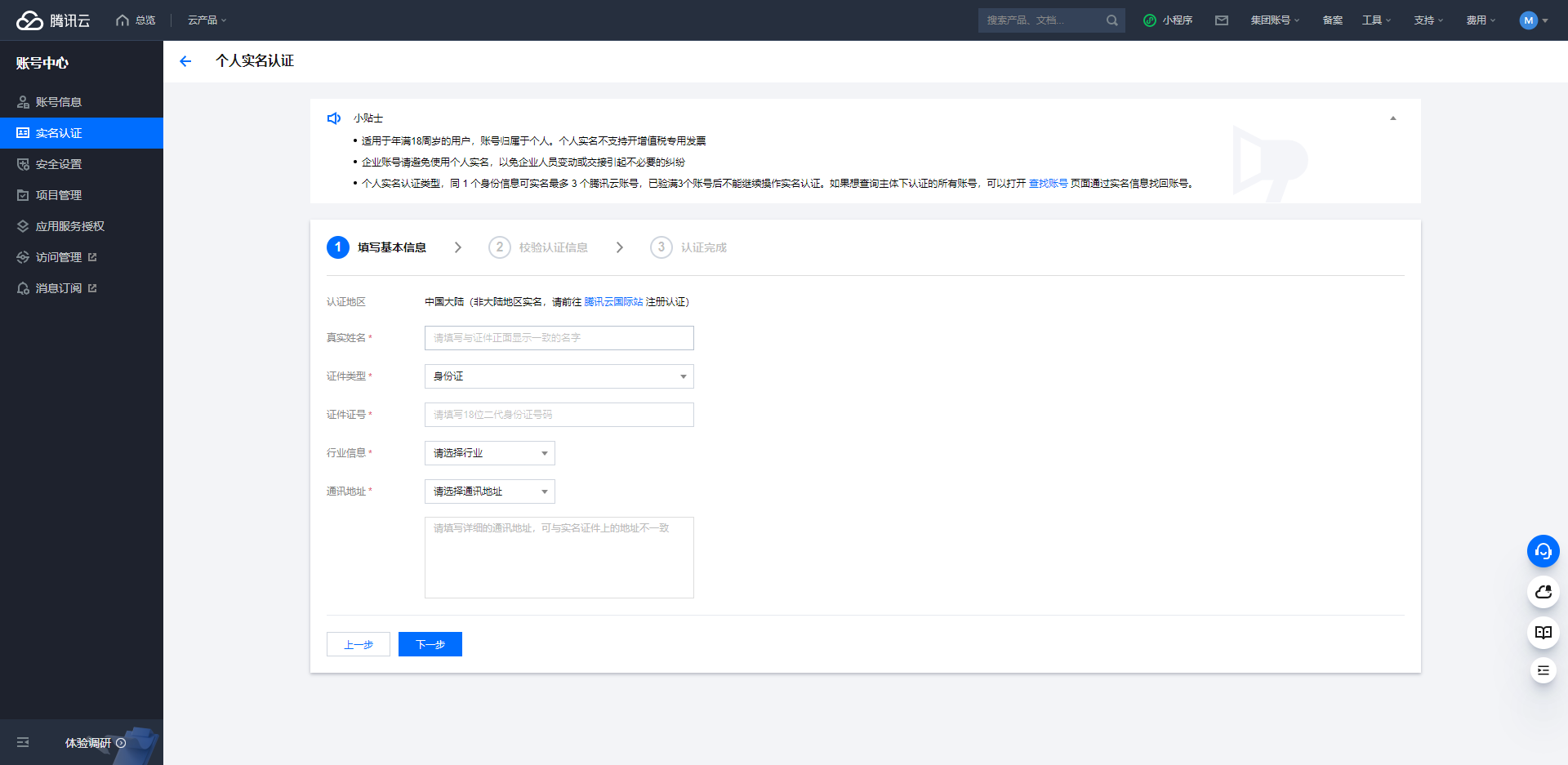
2. Fill in the certification information
On the "Fill in basic information" page, fill in your real name, certificate type, certificate number, secure mobile phone, mobile phone verification code, industry information and mailing address, and click Next.
In the pop-up prompt box, check the personal information and click OK.
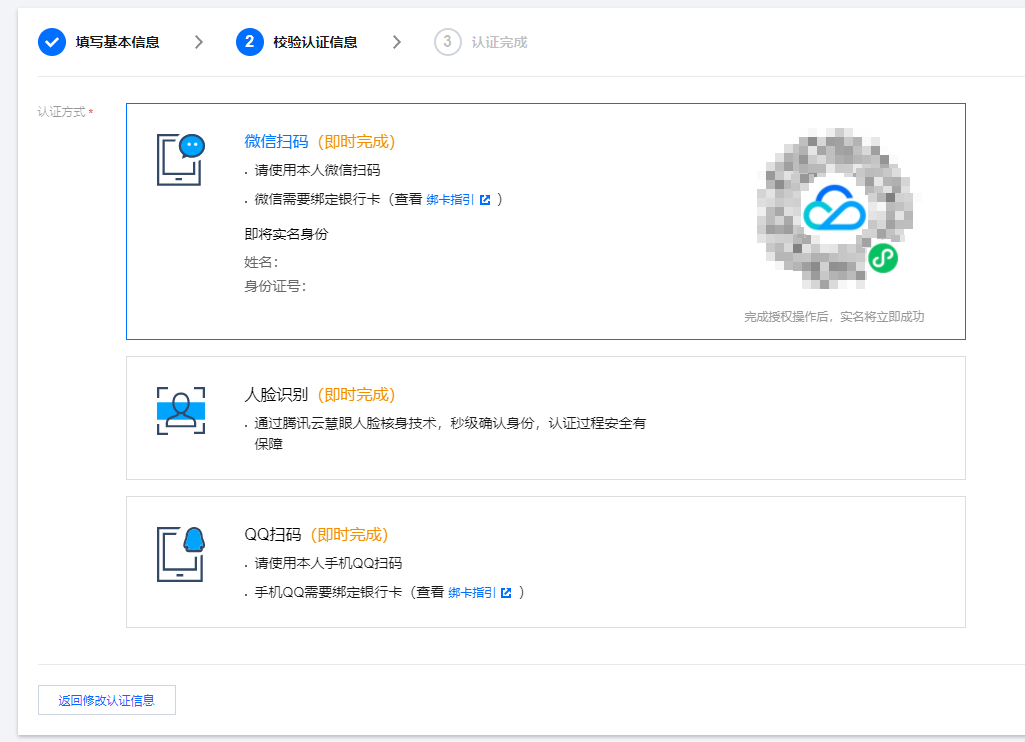
3. WeChat code scanning authentication
For the Authentication method, select WeChat code scan, open the WeChat mobile phone bound with the bank card, and scan the mini program code on the page.
On mobile WeChat, click Go to Authorize.
Confirm that the submitted real-name information is consistent with the current WeChat Pay real-name reservation information, check that you have read and agreed to the "WeChat Pay User Authorization Agreement", click Authorize, and the real-name authentication is completed if the verification is successful.
3. Open Tencent Translate
Click here to jump to the activation page
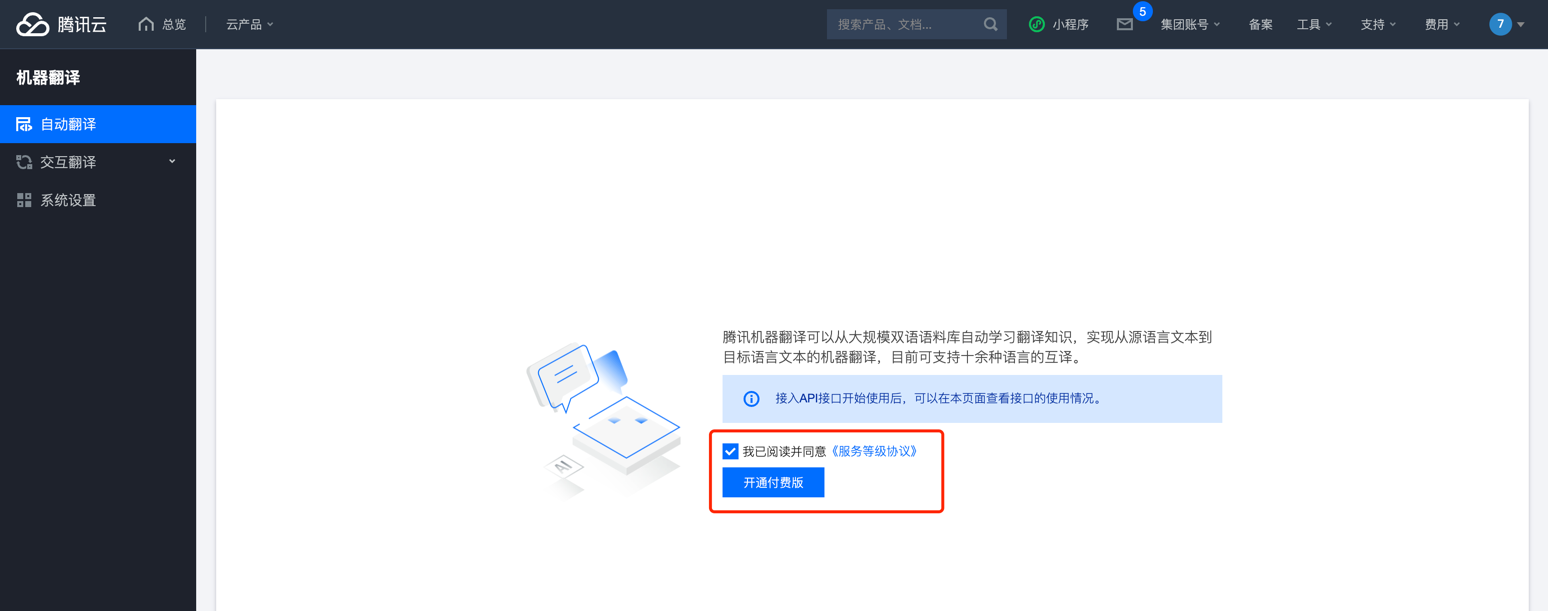
Entering this page indicates successful activation
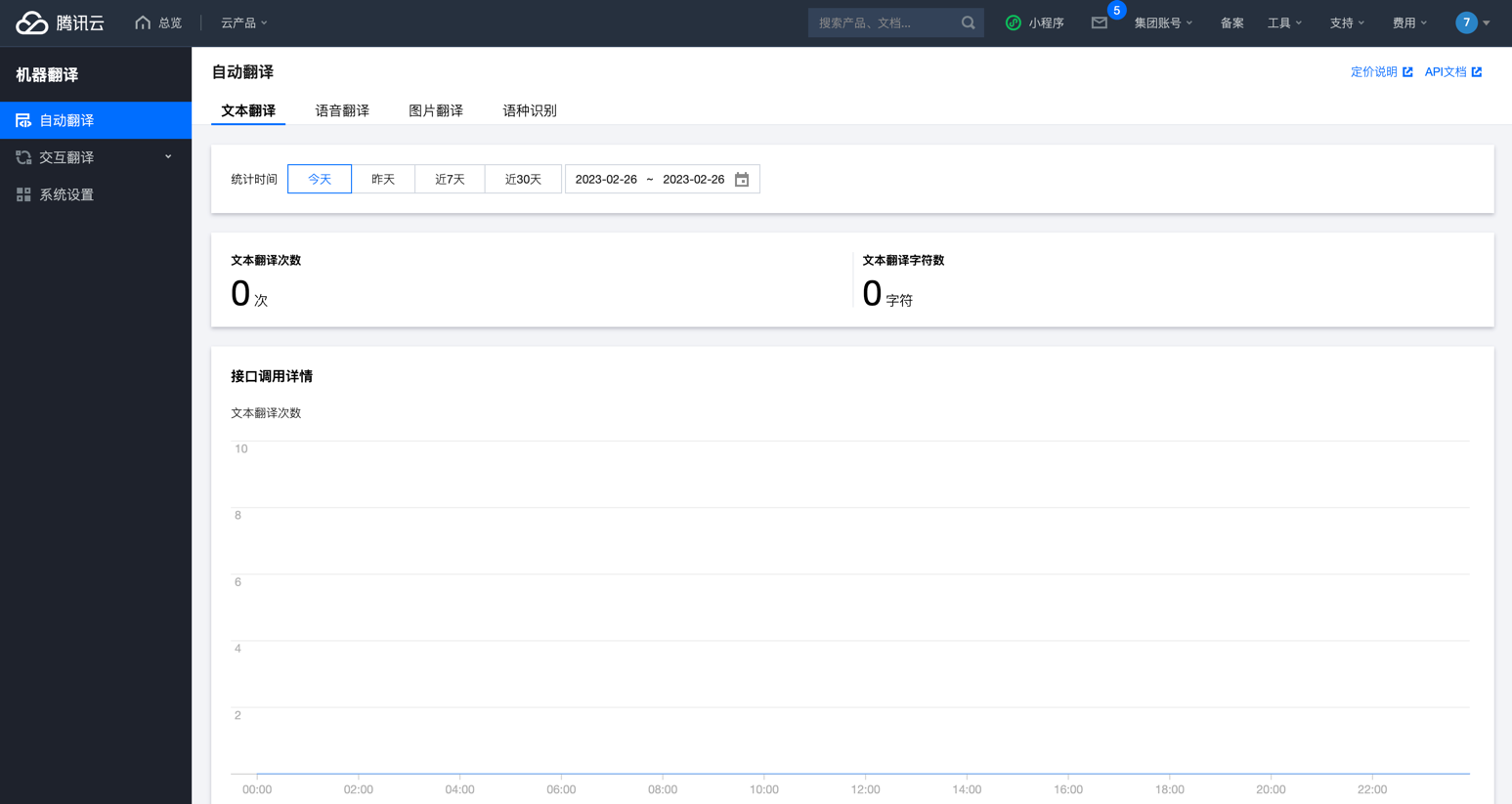
4. Get the key
There are two ways to obtain the key: Get the key with the main account and Get the key with the sub-account
The difference between main account and sub-account
The main account can obtain the key more quickly and can be activated directly. However, after the key is activated, it will have the authority to operate other Tencent Cloud resources.
To obtain the key for a sub-account, you need to open the sub-account first, set permissions, and then activate it. Compared with the main account, it is more troublesome, but it is also safer.
How to open the main account
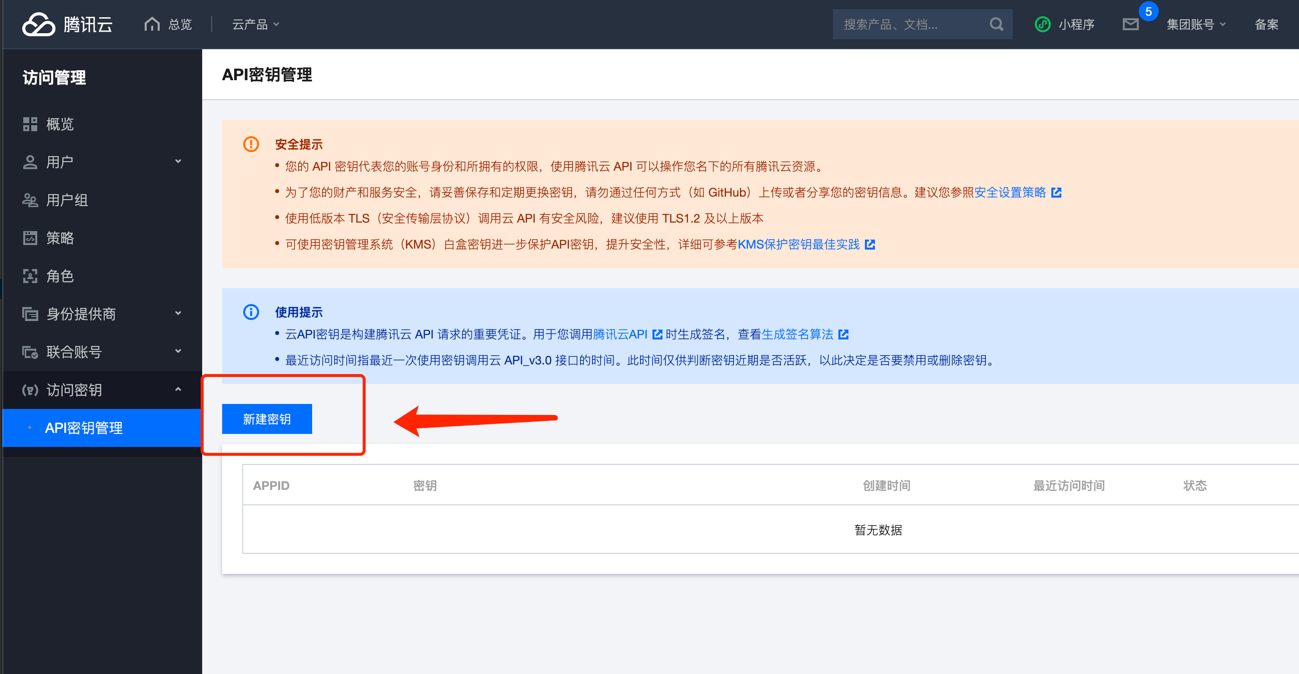
Click here to jump to the key page
After entering the page, click New Key
Key information will be generated after creation
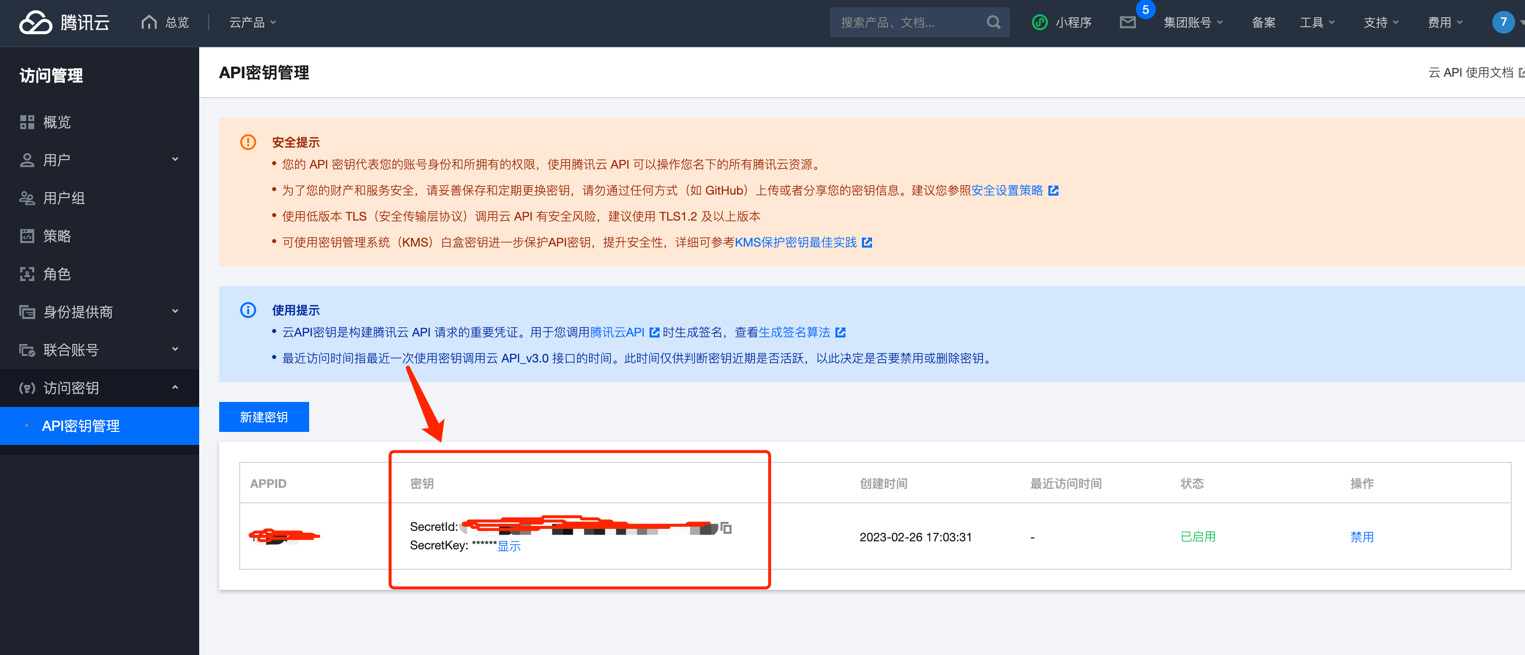
After obtaining the credentials, open TTime Settings, go to Translation Services, select Tencent Translate, and enter the credentials
For setup instructions, see Configure Translation Services in TTime
How to open a sub-account
Click to jump to the sub-account opening page
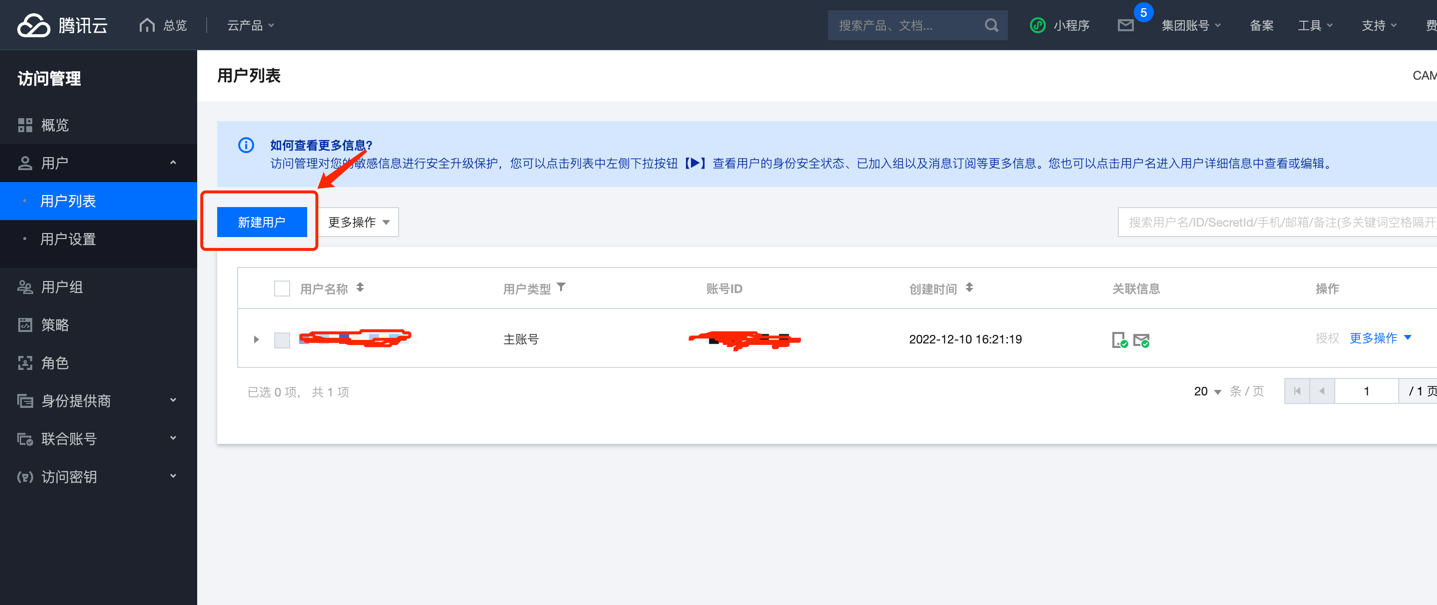
Click above to enter the Sub-account activation page, then click New user
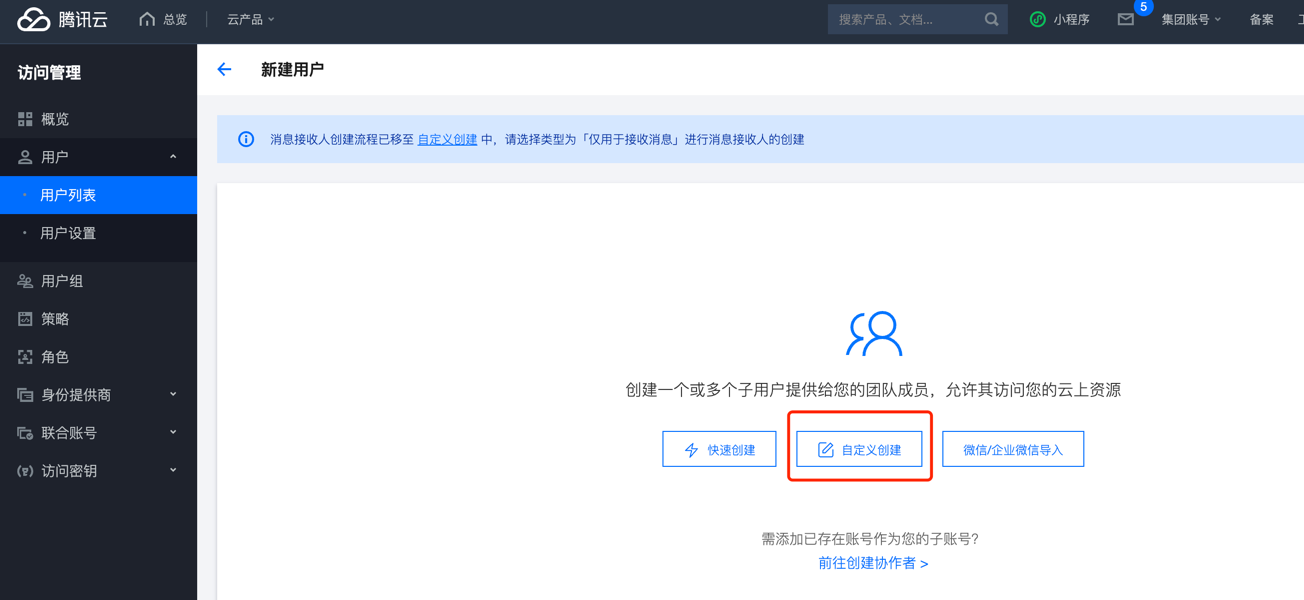
Select custom creation
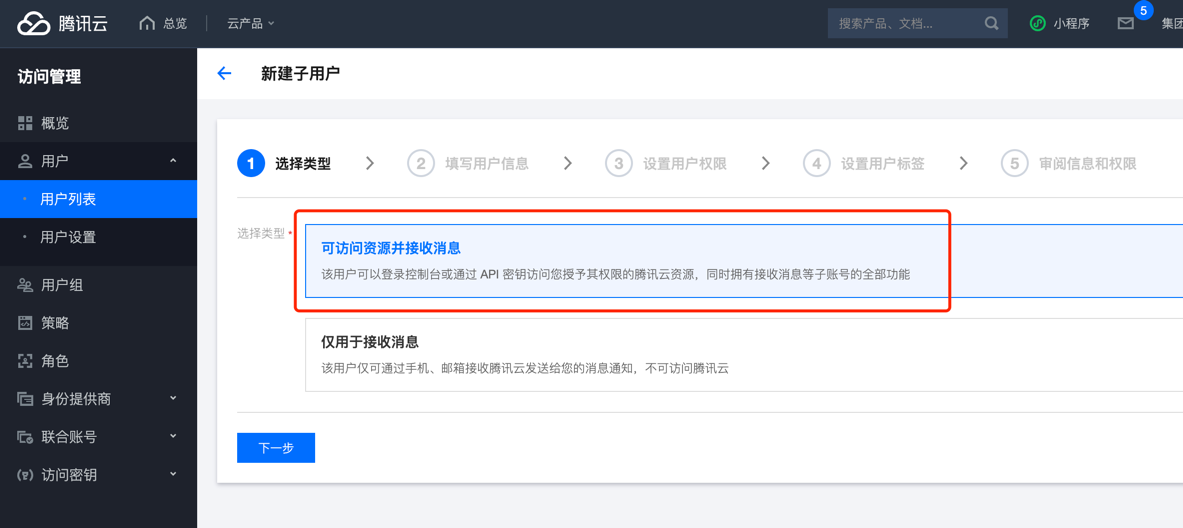
Type selection Access resources and receive messages
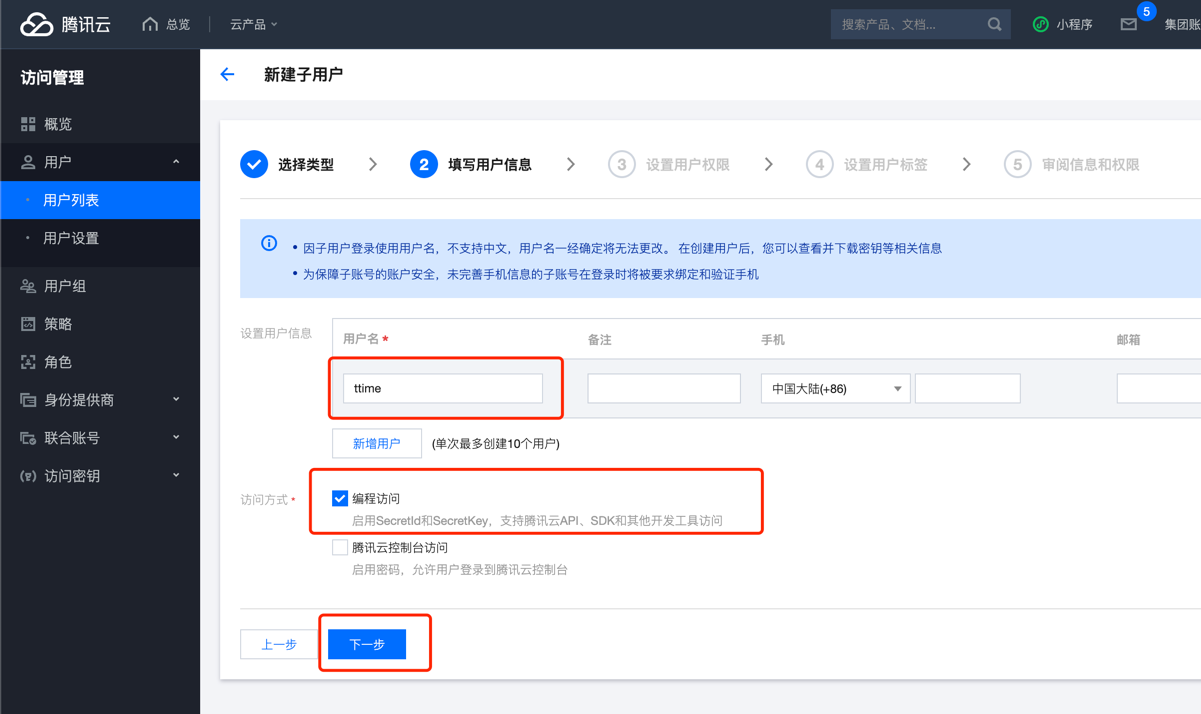
Fill in the user name. The user name can be customized. If you don’t know, you can follow my default ttime.
Then check the access method Programmatic Access
Click Next
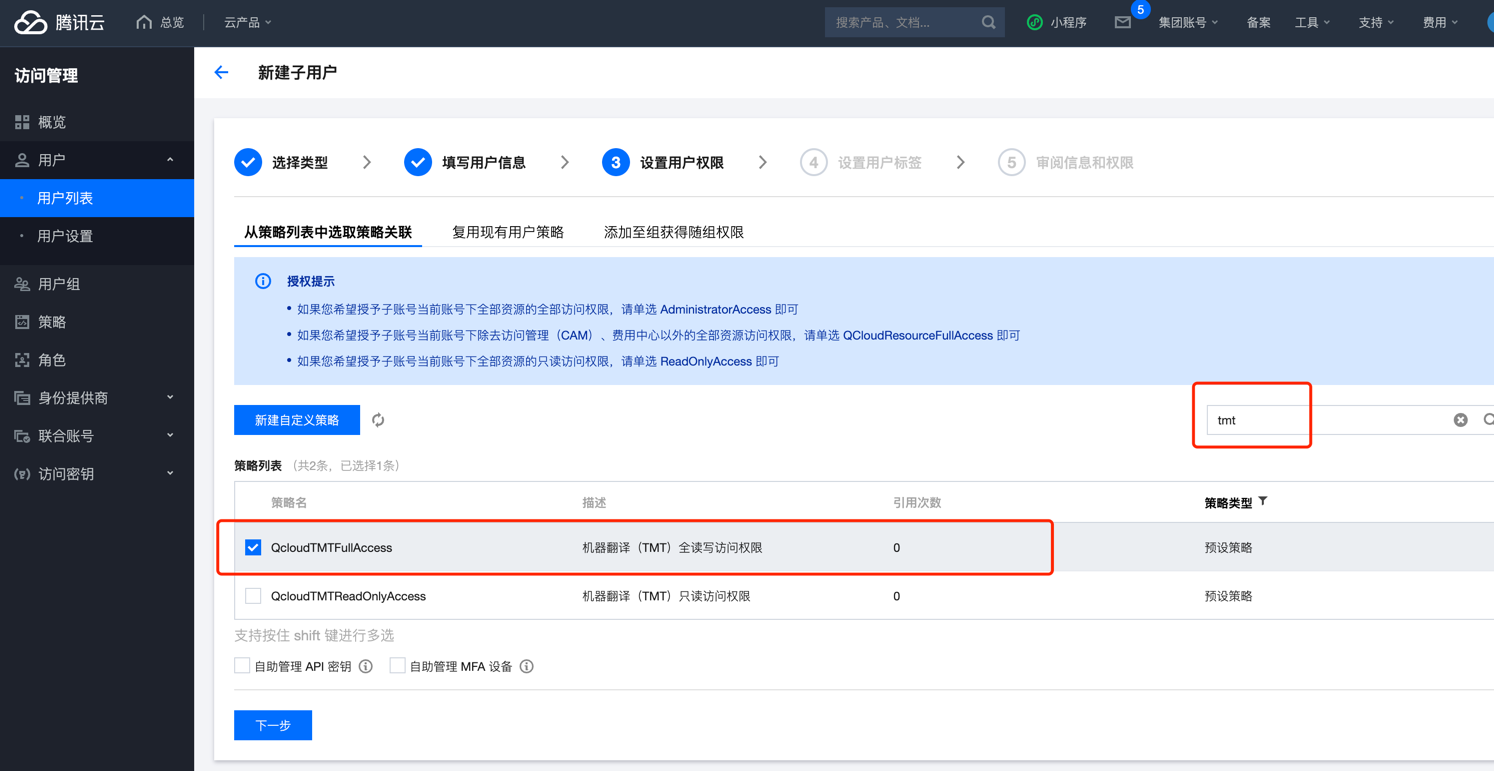
Search for tmt in the search box on the right, and then check the options in the circle below
The main purpose here is to allocate permissions to activate Tencent Translate for sub-accounts.
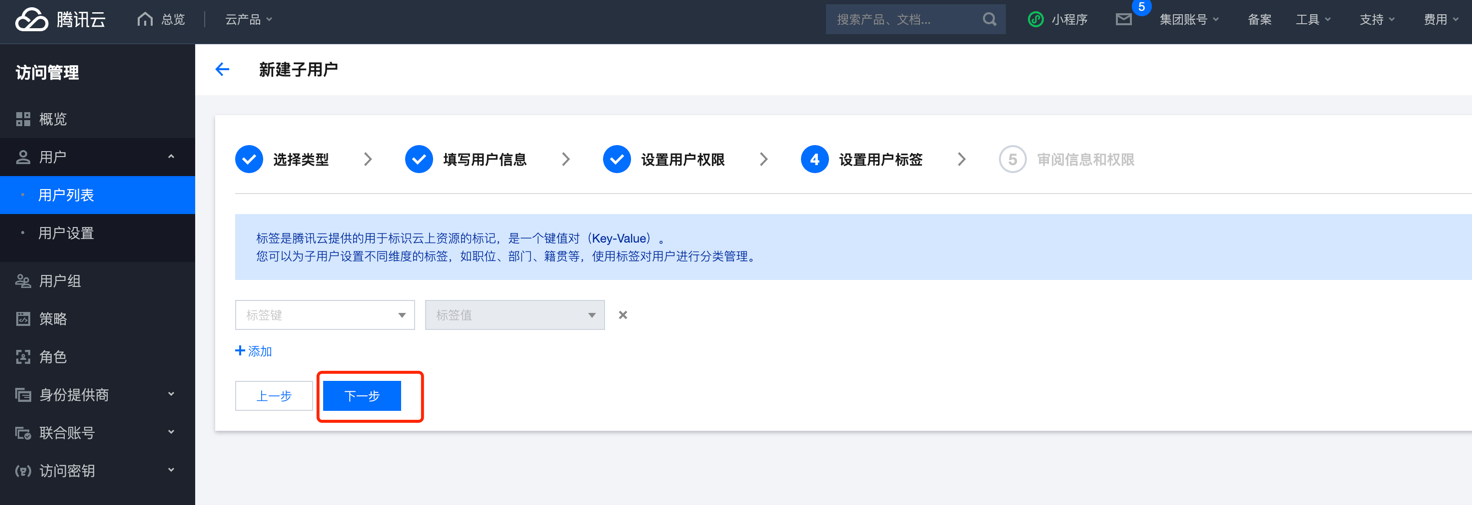
You don’t need to fill in the label, just go to the next step.
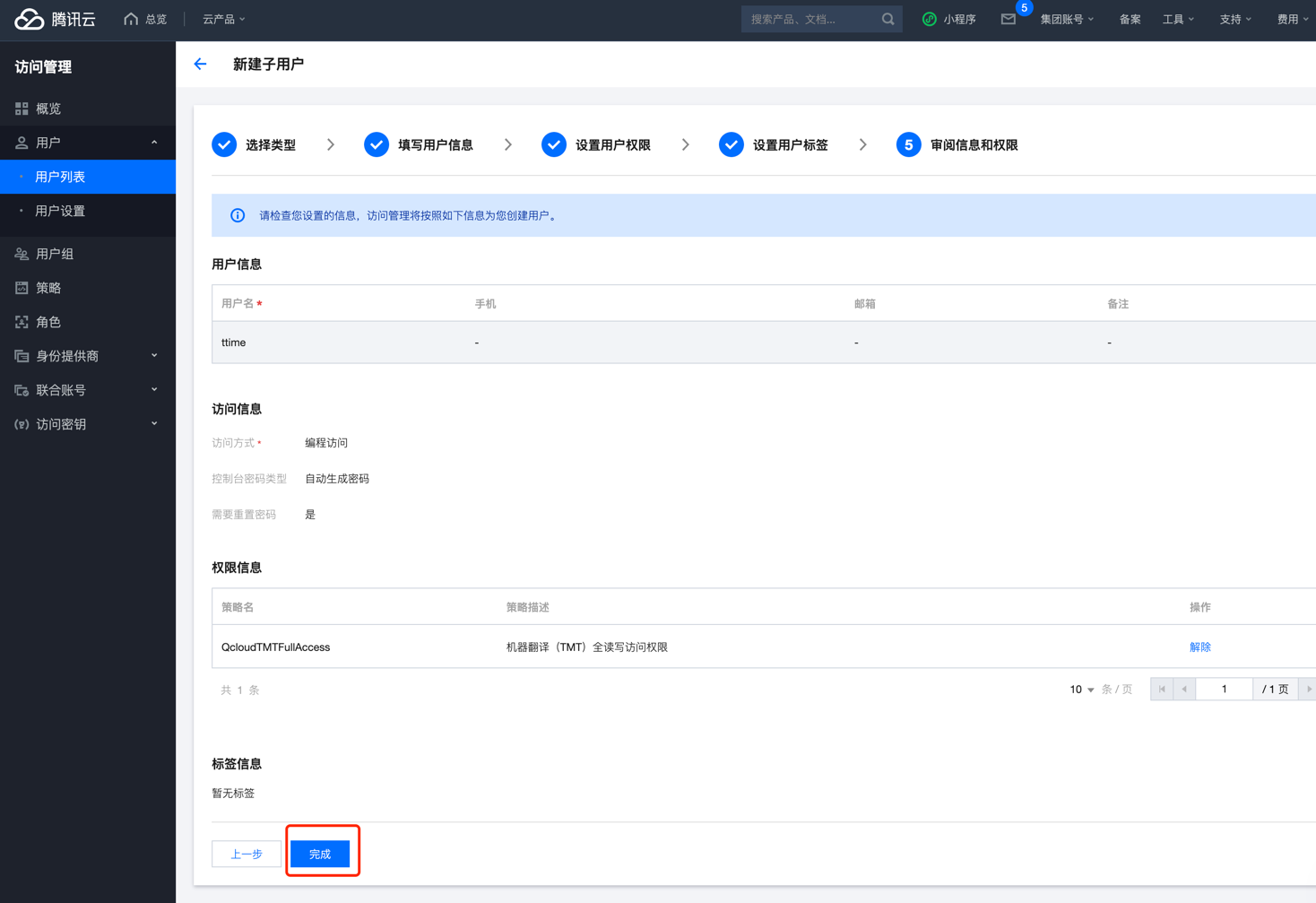
Confirm the information and just go to the next step.
Key information will be generated after completion
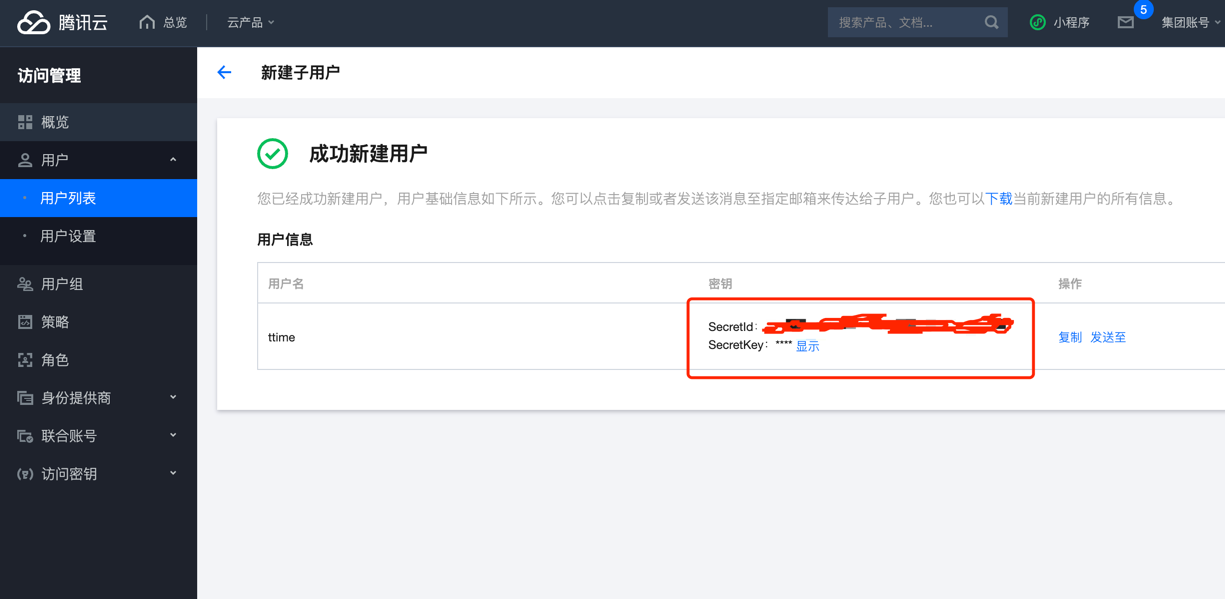
After obtaining the credentials, open TTime Settings, go to Translation Services, select Tencent Translate, and enter the credentials
For setup instructions, see Configure Translation Services in TTime