 TTime
TTimeHighlight the text
Select the text you want to translate in a webpage, document, or app
TTime Selected Text Translation
Highlight text, press a shortcut, and view the translation right away
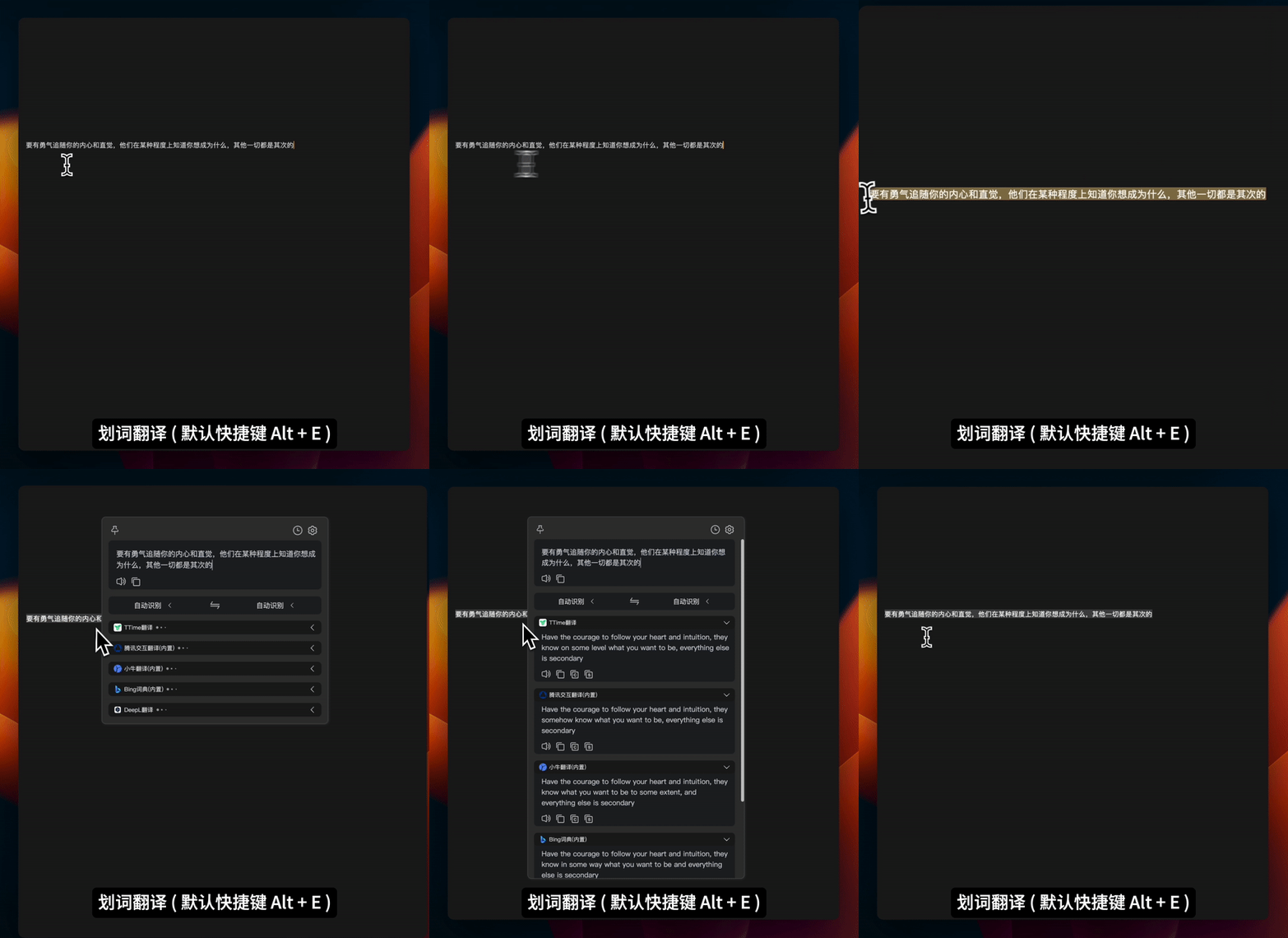
Translate highlighted text
TTime includes a built-in translation service, so there are no services or API keys to configure before you start
Select the text you want to translate in a webpage, document, or app
Use the default Alt + E shortcut to start selected text translation
TTime reads the selected text and displays the translation in the result window
Use cases
Highlight a word, sentence, or paragraph on a foreign-language webpage to translate it
Translate selectable text in documents, ebooks, and learning materials
Understand foreign-language text in emails, messages, and work documents
How it works
Download, install, and open TTime
Highlight the text you want to translate
Press the default Alt + E shortcut to view the translation
Choose the right tool
Best for text you can highlight in webpages, documents, and apps, with no copying or pasting required
Best for text you cannot select directly in images, scanned documents, and app interfaces
Learn more about screenshot translation →Advanced settings
Choose another machine translation, AI translation, or dictionary service when you need a specific language or translation style
FAQ
TTime currently supports Windows and macOS
No, TTime includes a built-in translation service that is ready to use after installation
Use selected text translation for any text you can highlight with your mouse in a webpage, document, or app
Use screenshot translation for text embedded in images, scanned documents, and app interfaces
Capture text on your screen and read its translation in a result window
Extract the original text from images for copying and editing
Capture an image area and read the translation on the image
TTime
Available for Windows and macOS and ready to use after installation